The Kubernetes IDE
for Engineers and Admins

Stop switching between kubectl, dashboards, and monitoring tools. Kuberniq gives you real-time visibility and full control over your clusters in a single desktop app.

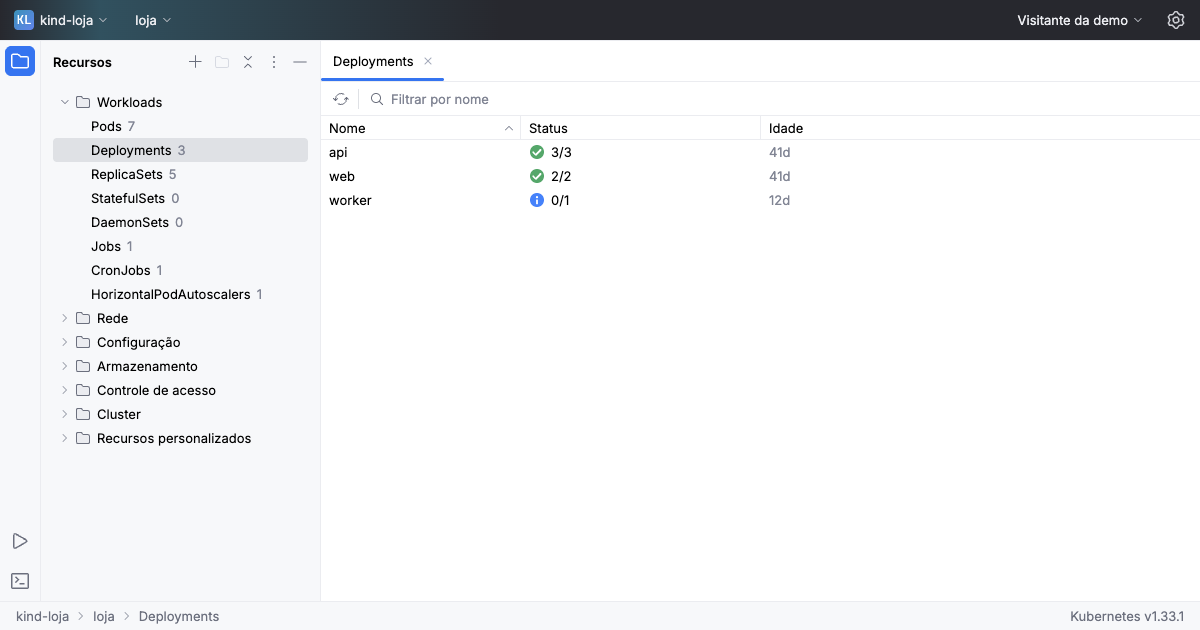
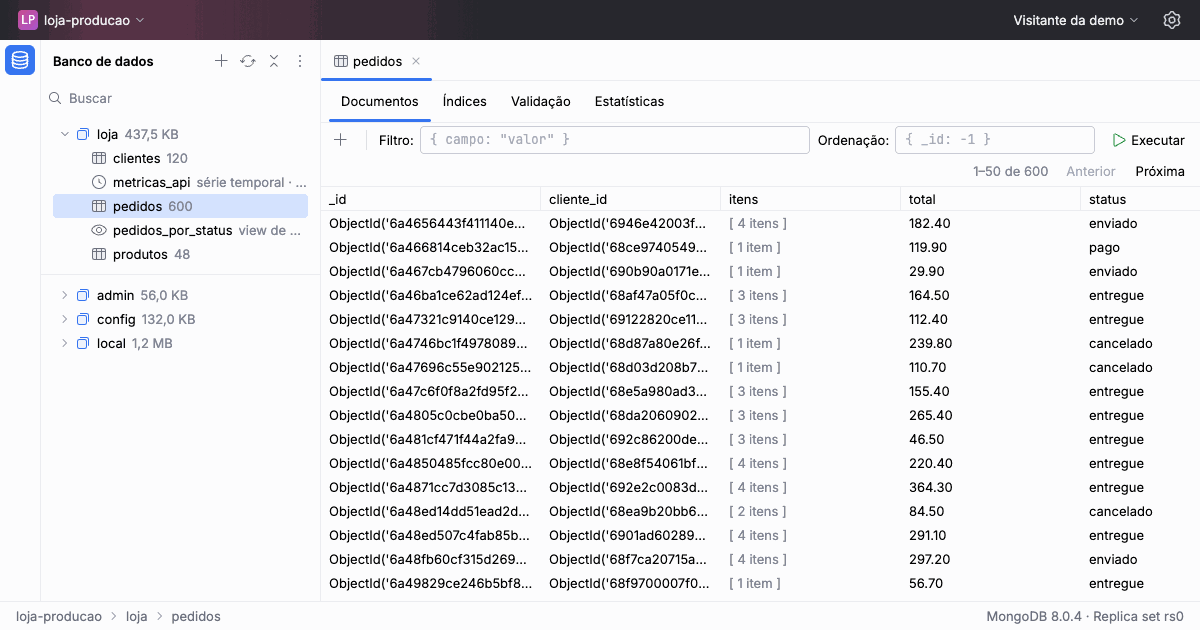
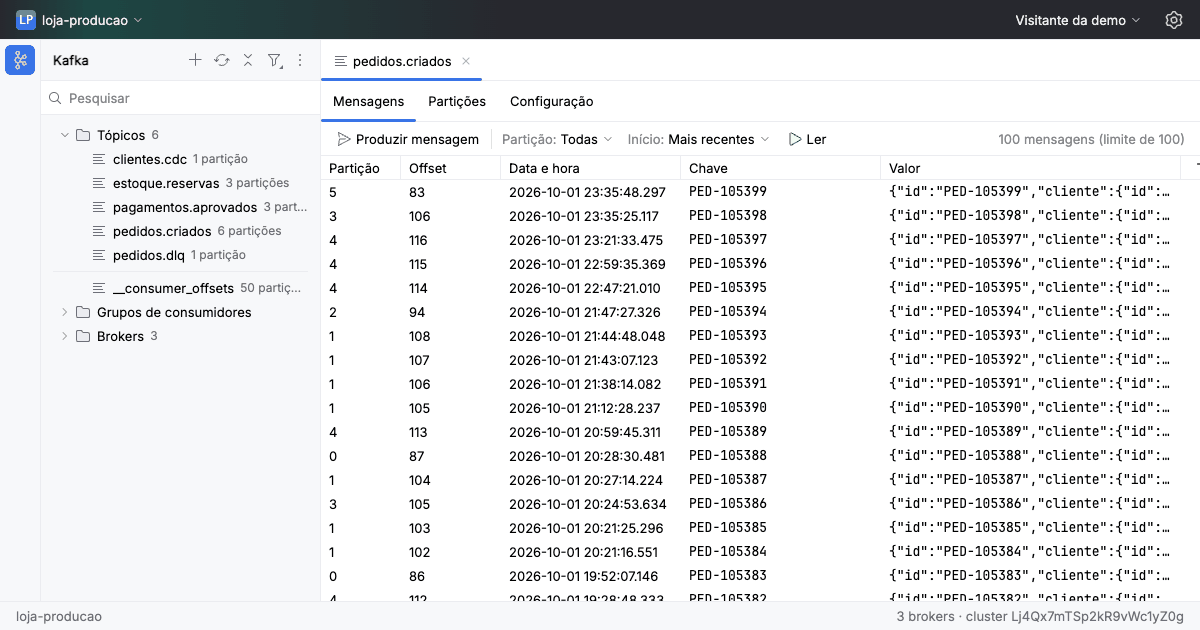
Kuberniq IDE — Kubernetes pods overview with resource table, sidebar navigation, and cluster tabs

Works with any Kubernetes cluster, anywhere

macOS Windows Linux Multi-Cluster EKS GKE AKS DigitalOcean On-Prem

One IDE for the entire Kubernetes workflow

From resource management to Helm deployments, from pod debugging to cluster monitoring — Kuberniq handles it all.

28+
Resource types supported
3
Platforms (macOS, Win, Linux)
15
Pre-configured Helm repos
Clusters & namespaces

A complete Kubernetes toolbox in one app

Terminal, logs, editor, Helm, metrics, port forwarding, and more — all built in, ready to go.

Pod Terminal

Interactive exec into any container with xterm.js. Multi-container selection, stdin/stdout streaming, automatic terminal resize, and tabbed session management.

Log Streaming

Follow, search, and filter container logs in real time. Up to 10,000 lines of history with timestamp toggle and previous container support.

YAML Editor

Monaco-powered editor with Kubernetes schema validation, syntax highlighting, and code completion. Apply changes directly to your cluster.

Metrics & Monitoring

CPU and memory charts with Prometheus and metrics-server support. Configurable time ranges from 15 min to 24 hours with 24h history buffer.

Helm Catalog

Browse, install, upgrade, rollback, and uninstall Helm charts. 15 pre-configured repos (Bitnami, Prometheus, Grafana, Ingress-Nginx, and more).

Port Forwarding

Forward local ports to pods with intelligent suggestions from pod specs. Manage multiple simultaneous sessions with one-click control.

Command Palette

Jump to any resource with Ctrl+K. Fuzzy search across your entire cluster with recent history and feature commands.

File Browser

Browse PVC and pod filesystem contents with permissions, sizes, and timestamps. Download and inspect files directly from running containers.

Live Cluster Sync

WebSocket-powered watch streams keep every resource table, status indicator, and event feed in sync with your cluster in real time.

Multi-Cluster Management

Connect to every context in your kubeconfig — local, EKS, GKE, AKS, or on-prem. Tabbed interface with connection status, server version, and node count per cluster.

CRD & Custom Resources

Automatic discovery and indexing of every CRD in your cluster on connect. Browse, inspect, edit, and delete custom resources with the same power as built-in types.

Built-in Advanced Tools

Health Monitor, Resource Graph, Batch Scaler, and Prometheus Metrics — powerful features built right into Kuberniq, ready to use out of the box.

Built for real Kubernetes workflows

Deep-dive into the tools that make Kuberniq a full-featured IDE, not just another dashboard.

Terminal

Full-featured pod terminal

Interactive shell access to any container with xterm.js emulation. Select between init, sidecar, and ephemeral containers — with full stdin/stdout streaming and automatic resize.

  • Multi-container selection (init, sidecar, ephemeral)
  • Tabbed terminal sessions in the bottom panel
  • Automatic reconnection on network issues
Kuberniq pod terminal with interactive shell
Logs

Real-time log streaming with search

Follow container logs as they happen, search through history, and toggle timestamps. Up to 10,000 lines buffered per stream with configurable tail settings.

  • Search highlighting across entire log buffer
  • Previous container & init container logs
  • Configurable tail: 100, 500, 1000, or all lines
Kuberniq real-time log streaming with search
Editor

Edit YAML with IDE-grade tooling

Monaco-powered editor with full Kubernetes schema validation, intelligent completion, and syntax highlighting. Edit any resource and apply changes directly.

  • Kubernetes schema validation & completion
  • Multi-tab editor across clusters
  • Create, update, and delete from the editor
Kuberniq Monaco YAML editor with validation
Health

Cluster health at a glance

Real-time pod health classification with cluster health score. Instantly see which pods are healthy, pending, warning, or failed — with restart tracking and continuous status bar monitoring.

  • Pod health classification (healthy, pending, warning, failed)
  • Cluster health score in the status bar
  • Restart detection and warning alerts
Kuberniq Health Monitor dashboard showing pod health status and cluster score

Every Kubernetes resource, covered

Browse, inspect, and manage every built-in resource type — plus any CRD installed in your cluster.

Workloads

  • Pods
  • Deployments
  • StatefulSets
  • DaemonSets
  • Jobs
  • CronJobs

Network

  • Services
  • Ingresses
  • NetworkPolicies

Storage

  • PersistentVolumeClaims
  • PersistentVolumes
  • StorageClasses

Config & RBAC

  • ConfigMaps
  • Secrets
  • ServiceAccounts
  • Roles & ClusterRoles
  • RoleBindings

Apps & Cluster

  • HPAs
  • ReplicaSets
  • PodDisruptionBudgets
  • ResourceQuotas
  • LimitRanges
  • Nodes & Namespaces

Install Kuberniq in seconds

Run a single command to install on any platform.

$ curl -fsSL https://kuberniq.dev/install.sh | bash
> irm https://kuberniq.dev/install.ps1 | iex
or download the installer

Your Kubernetes workflow, in one IDE

Download Kuberniq and get the full power of Kubernetes management on your desktop.