Health Monitor
The Health Monitor provides a real-time dashboard that classifies the health of every pod in your cluster and computes an overall cluster health score. Access it by clicking the Health button in the sidebar or via the command palette.
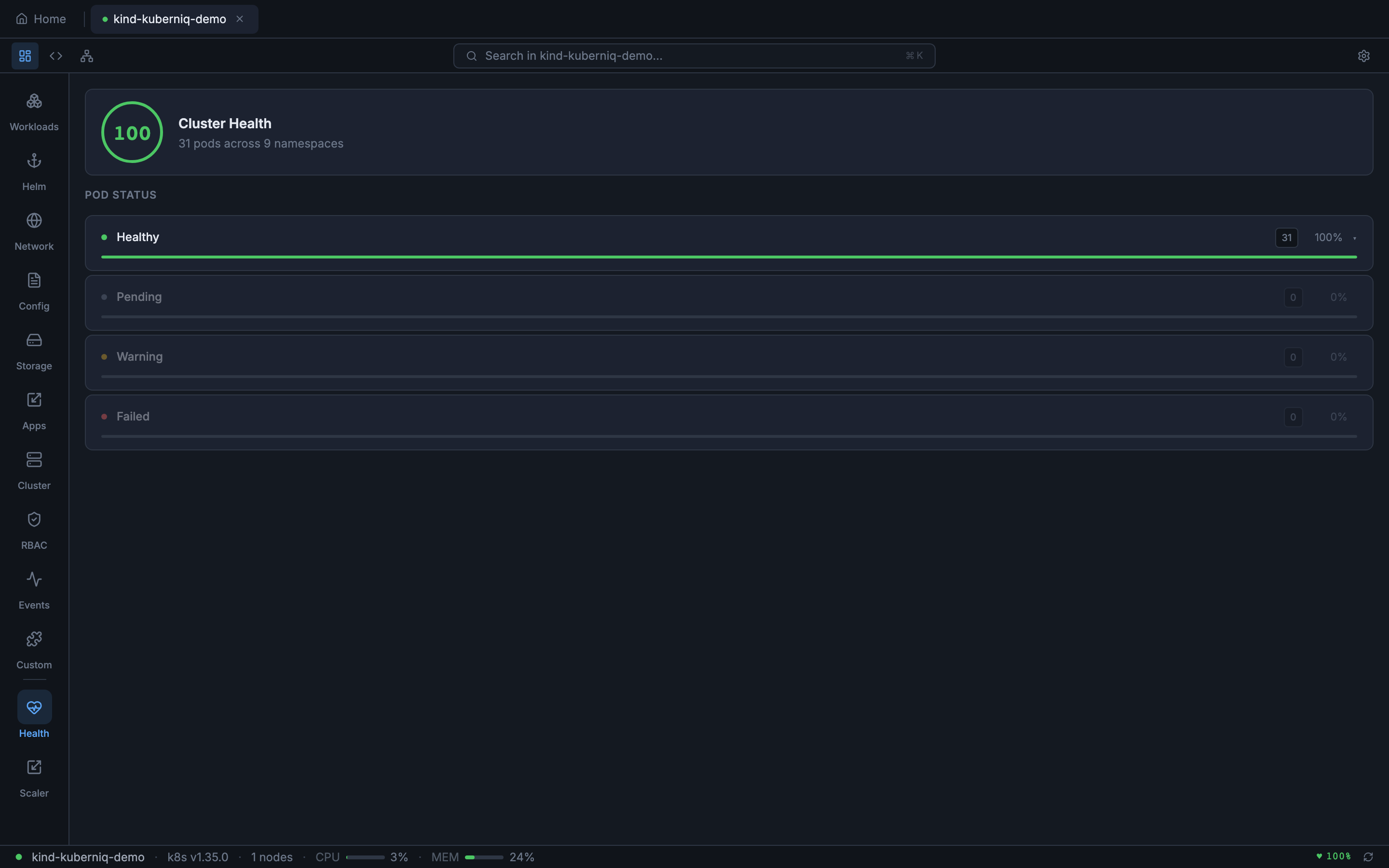
Health Dashboard
The dashboard groups pods by their health status and displays a summary with counts for each category. You can quickly identify problematic workloads and drill into individual pods for more detail.
Pod Health Classification
Each pod is classified into one of four health statuses based on its phase, container states, and restart history:
- Healthy — Pod is running with all containers ready and fewer than 5 restarts
- Pending — Pod is in the Pending phase, waiting for scheduling or image pulls
- Warning — Pod is running but has accumulated more than 5 restarts, indicating instability
- Failed — Pod phase is Failed, or containers are in CrashLoopBackOff, Error, or OOMKilled state
Health Score
The cluster health score is a percentage computed from the ratio of healthy pods to total pods. It provides an at-a-glance indicator of overall cluster health and is also displayed in the status bar at the bottom of the application for continuous visibility.
Restart Detection
The Health Monitor tracks container restart counts across all pods. Pods that exceed the restart threshold are flagged as warnings even if they are currently running, helping you catch flapping workloads before they cause outages.
Status Bar Integration
The health score is shown as a persistent indicator in the status bar, so you can monitor cluster health while working in any view. The indicator updates in real time as pod statuses change.