Helm
Kuberniq includes a complete Helm client built into the IDE. You can browse chart catalogs, install charts with custom values, manage releases, upgrade to new versions, and rollback to previous revisions — all without touching the command line. Kuberniq supports Helm 3 and reads release metadata directly from Kubernetes Secrets.
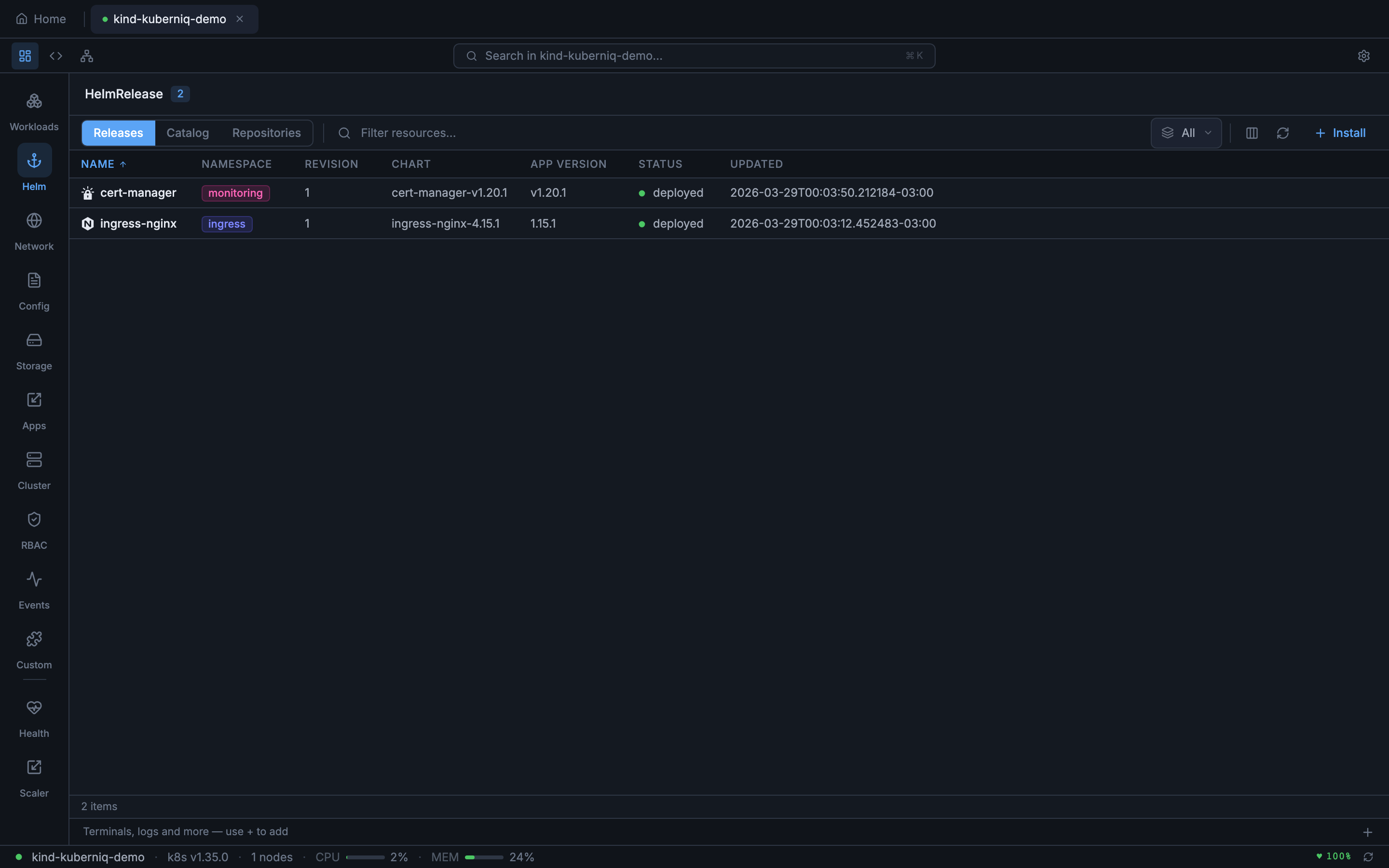
Chart Catalog
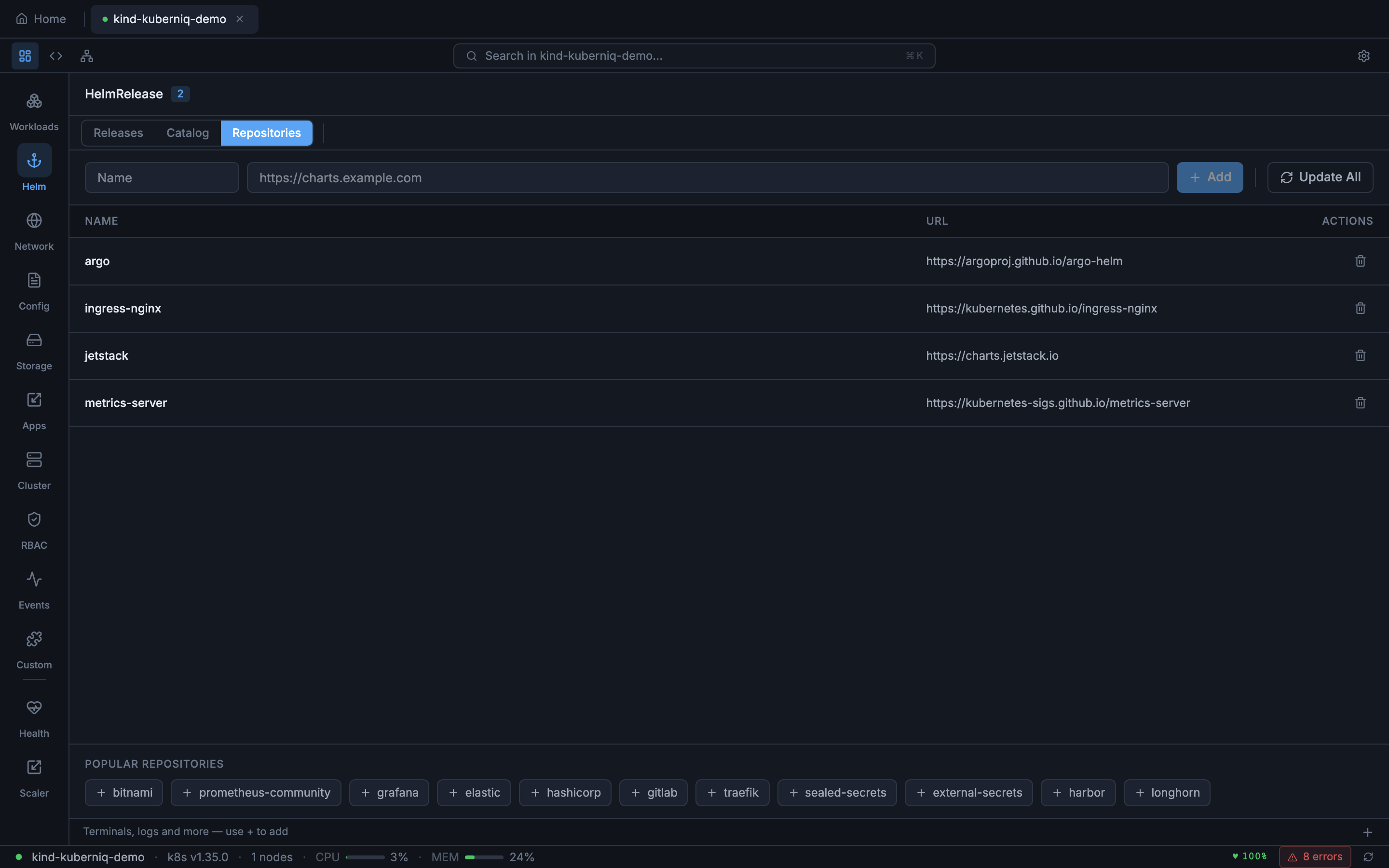
The Helm section in the sidebar provides access to a chart catalog browser. Kuberniq ships with 15 pre-configured repositories covering the most popular Kubernetes ecosystem tools:
- Bitnami — Application charts (PostgreSQL, Redis, MySQL, MongoDB, WordPress, etc.)
- Ingress-Nginx — The official NGINX Ingress Controller
- Jetstack — cert-manager for automated TLS certificate management
- Prometheus-Community — Prometheus, Alertmanager, and kube-state-metrics
- Grafana — Grafana dashboards, Loki, and Tempo
- Elastic — Elasticsearch, Kibana, and Filebeat
- HashiCorp — Vault, Consul, and Terraform Cloud Agent
- GitLab — GitLab Runner and the GitLab Helm chart
- Argo — Argo CD, Argo Workflows, and Argo Rollouts
- Traefik — The Traefik ingress controller and proxy
- Sealed-Secrets — Bitnami Sealed Secrets controller
- Metrics-Server — Kubernetes resource metrics collection
- External-Secrets — External Secrets Operator for syncing secrets from vaults
- Harbor — Container registry and artifact management
- Longhorn — Cloud-native distributed storage for Kubernetes
Custom Repositories
You can add your own Helm chart repositories by providing the repository name and URL. Added repositories are persisted across sessions and their chart indexes are cached locally. To remove a custom repository, select it in the repository list and click Remove.
Search and Browse
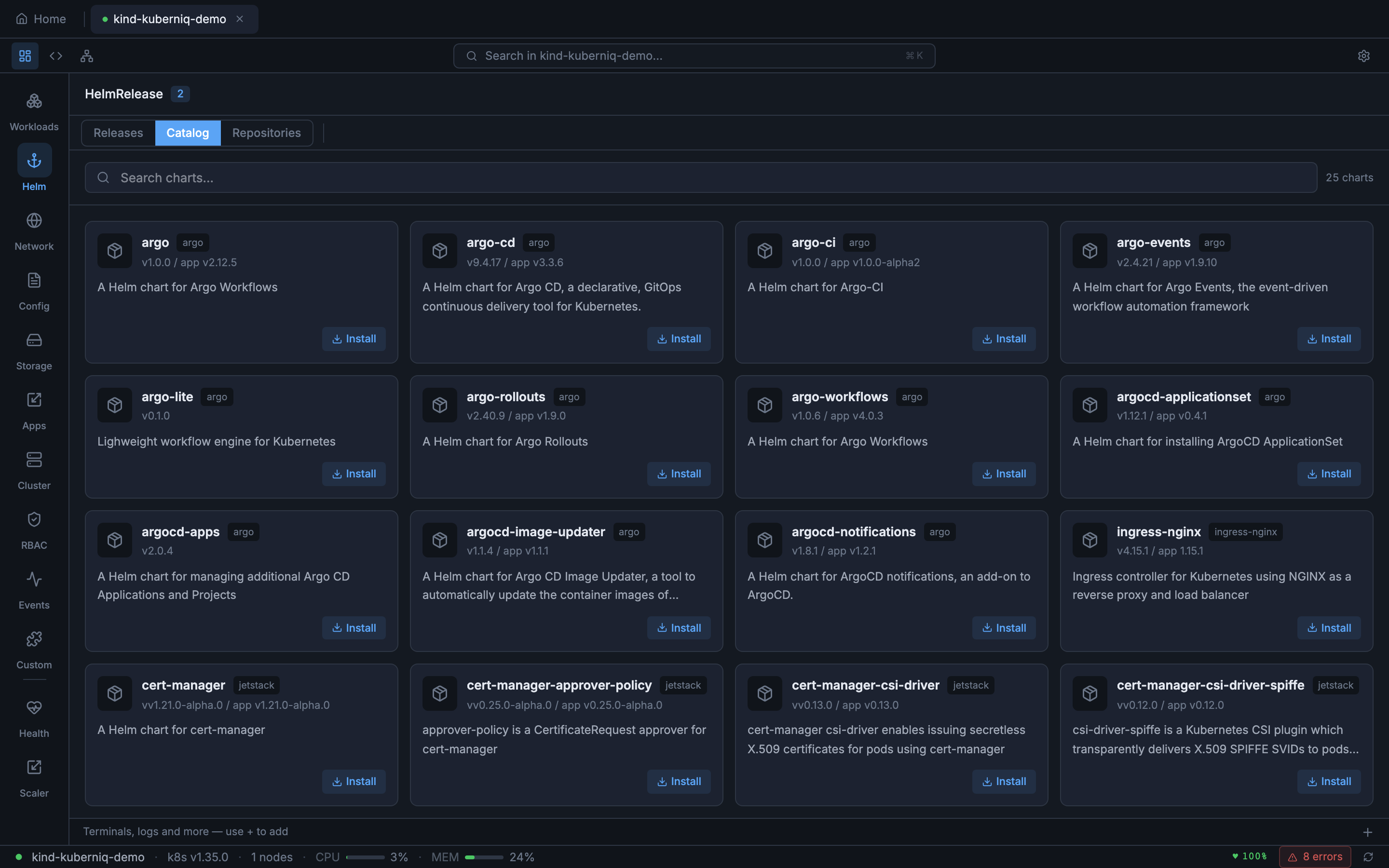
Use the search bar in the chart catalog to find charts by name or description. The search filters across all configured repositories simultaneously. Click on a chart to see its details, including the README, available versions, and metadata such as maintainers, home URL, and source links.
Installing Charts
To install a chart, select it from the catalog and click Install. The installation dialog lets you configure:
- Release name — A name for the Helm release (auto-generated if left blank)
- Namespace — The target namespace for the release
- Chart version — Select from available versions (defaults to latest)
- Values — A YAML editor pre-populated with the chart's default values, which you can customize before installation
Click Apply to install the chart. Kuberniq executes the install and displays the release status once complete.
Release Management
The Helm Releases view lists all Helm releases in the selected namespace (or across all namespaces). Each release row shows:
- Release name
- Namespace
- Current revision number
- Status (deployed, failed, pending-install, pending-upgrade, uninstalling)
- Chart name and version
- App version
- Last updated timestamp
Release Details
Click a release to open the detail panel, which provides:
- Values — The computed values for the current revision, showing both chart defaults and user overrides
- History — A list of all revisions with revision number, status, chart version, and description
- Notes — The NOTES.txt output from the chart, containing post-install instructions
Upgrade
Select a release and click Upgrade to update it. You can upgrade to a newer chart version, change the values, or both. The values editor shows the current values so you can review and modify them before applying the upgrade. The revision number increments with each upgrade.
Rollback
In the release history, you can rollback to any previous revision. Select the target revision from the history list and click Rollback. Kuberniq creates a new revision that restores the state from the selected historical revision. This is useful for quickly reverting a bad upgrade without needing to remember the previous values.
Uninstall
To remove a Helm release, click the Uninstall button. A confirmation dialog ensures you don't accidentally remove a release. Uninstalling removes the Kubernetes resources managed by the release and deletes the release metadata from the cluster.
Chart Index Caching
Repository chart indexes are cached in memory with a 5-minute TTL (time to live). This means that browsing charts, searching, and viewing chart details are fast operations that don't require fetching the index from the remote repository on every interaction. After 5 minutes, the cache is refreshed on the next access to pick up newly published chart versions.
Helm 3 Secret Storage
Helm 3 stores release metadata as base64-encoded, gzip-compressed data inside Kubernetes
Secrets with the label owner=helm. Kuberniq automatically discovers and decodes
these Secrets to display release information, history, and values without requiring the
helm CLI to be installed on your machine. All Helm operations are performed
directly through the Kubernetes API.