Settings
Kuberniq settings are organized into two levels: global settings that apply to the entire application, and per-cluster settings that are scoped to an individual cluster connection. Global settings are accessible from the home screen sidebar, while cluster settings are accessed via the gear icon in the sub-bar when connected to a cluster.
Appearance
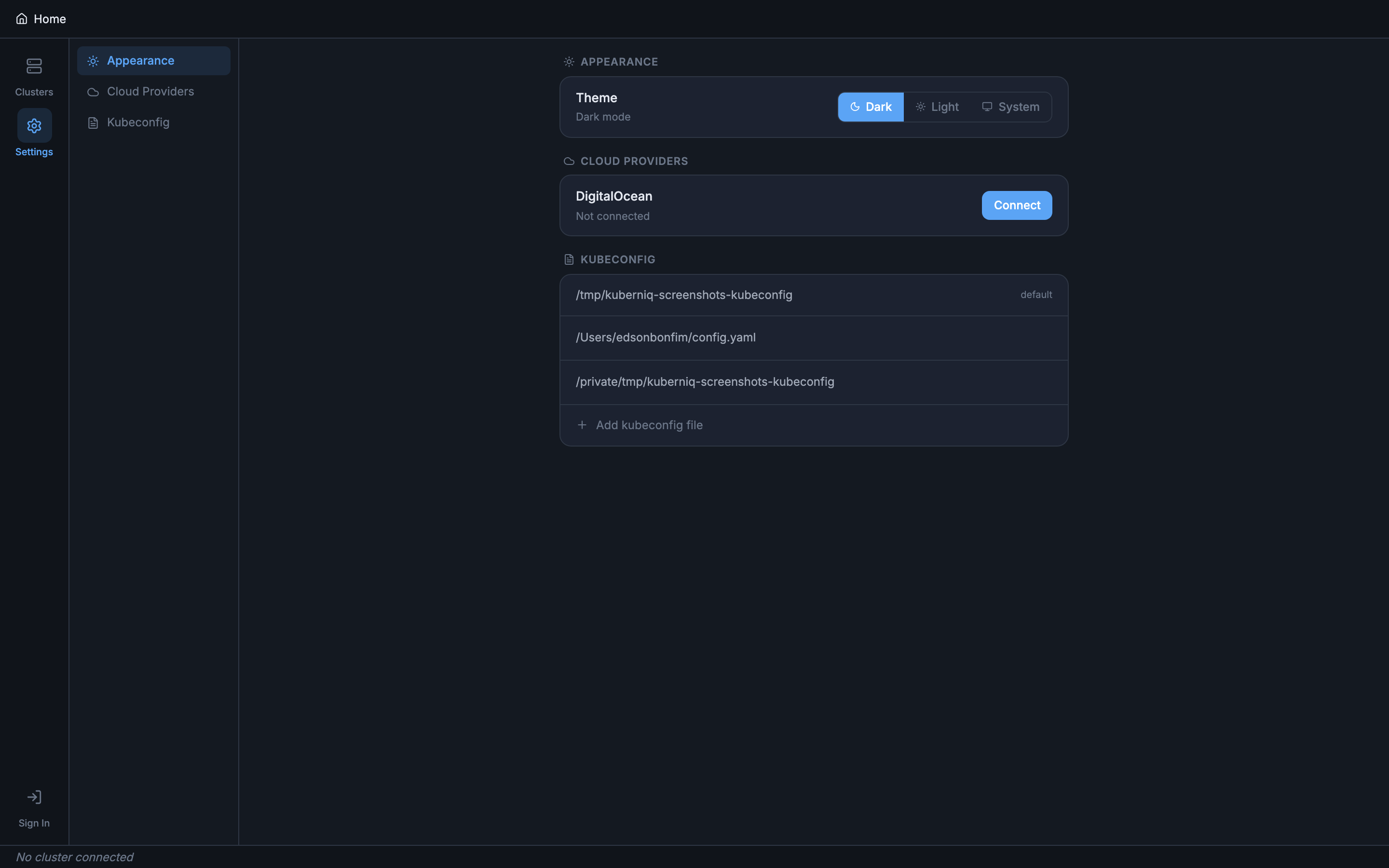
The Appearance panel controls the visual theme of the application. You can choose between three modes:
- Dark — A dark theme optimized for extended use and low-light environments
- Light — A light theme for well-lit environments
- System — Automatically follows your operating system's theme preference, switching between dark and light as your OS changes
Cloud Providers
The Cloud Providers panel allows you to connect external cloud provider accounts for direct cluster import. Currently supported:
- DigitalOcean — Connect your DigitalOcean account to import DOKS (DigitalOcean Kubernetes Service) clusters directly into Kuberniq without manual kubeconfig setup
Once connected, you can import clusters from the home screen using the Import from DigitalOcean option in the Add Cluster menu.
Kubeconfig
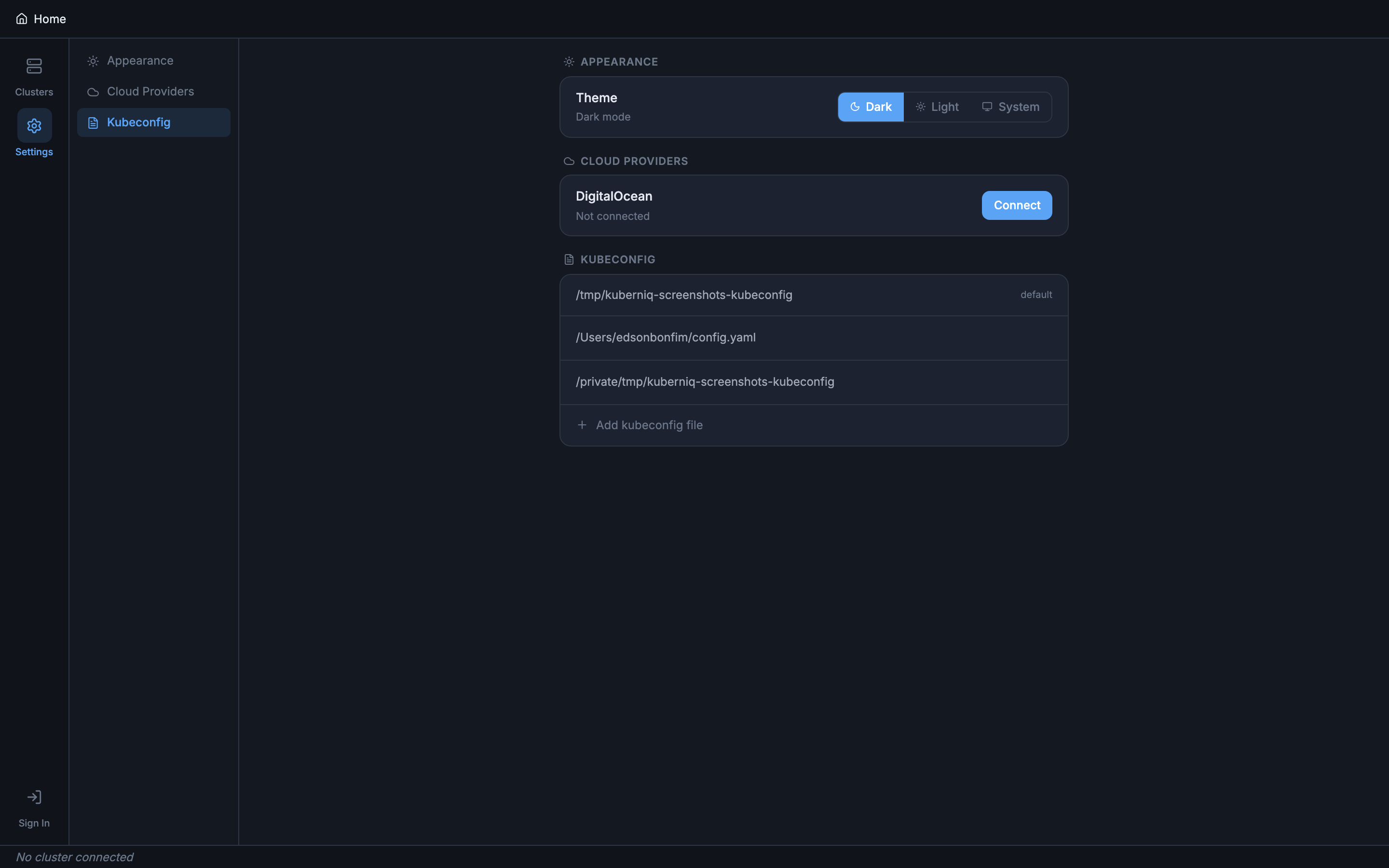
The Kubeconfig panel shows all loaded kubeconfig files and the clusters they contain.
Kuberniq reads the default kubeconfig location (~/.kube/config) automatically,
and you can add additional kubeconfig files from any path on your system.
- View clusters — Each kubeconfig file is listed with the cluster contexts it contains
- Add files — Click the Add button to select additional kubeconfig files via a file picker dialog
- Remove files — Remove additional kubeconfig files (the default kubeconfig cannot be removed)
Cluster Settings
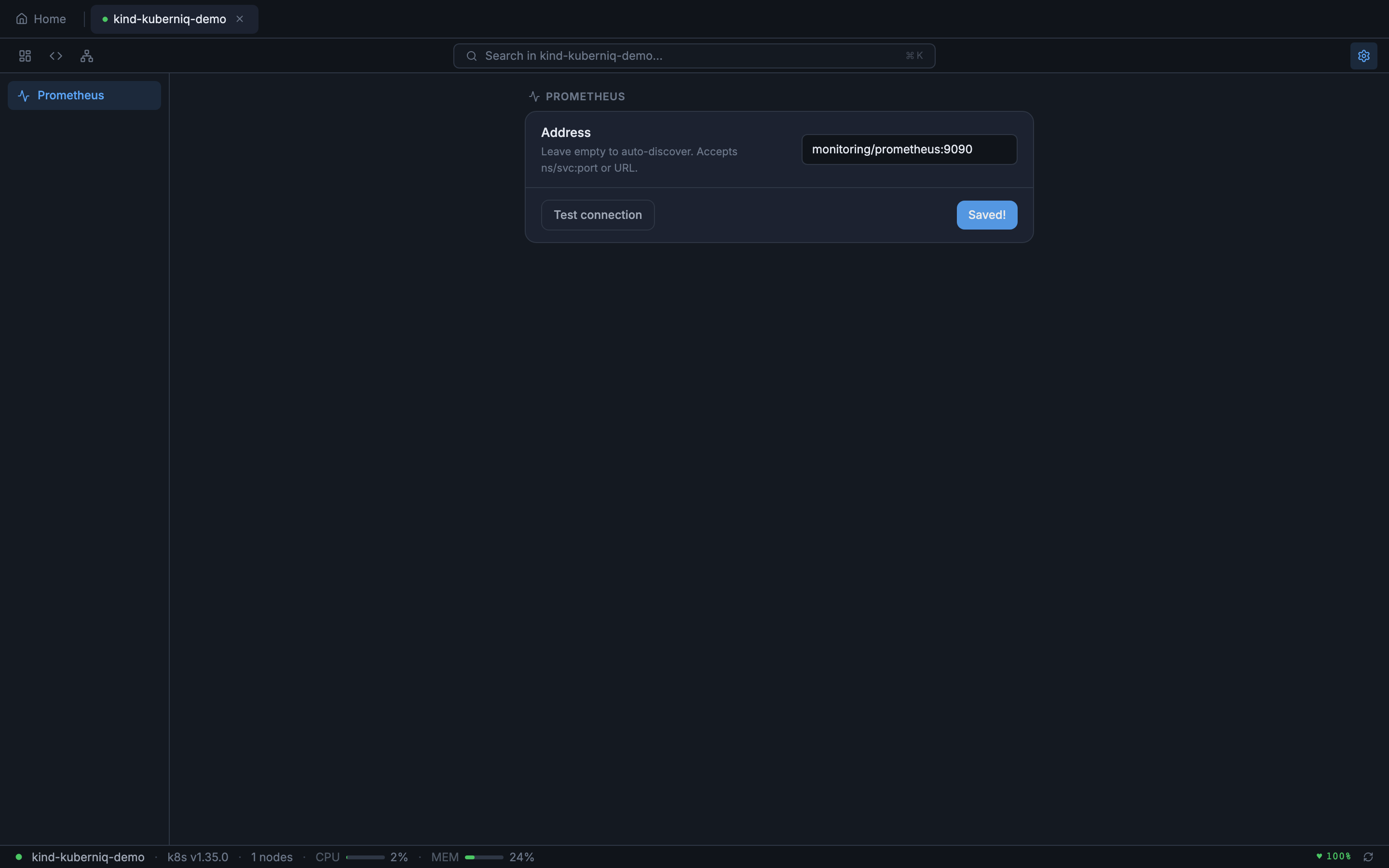
When connected to a cluster, click the gear icon on the right side of the sub-bar to open per-cluster settings. These settings are saved per cluster and persist across sessions.
Prometheus Configuration
Configure how Kuberniq connects to Prometheus for metrics collection:
- Auto-discover — Kuberniq automatically detects Prometheus by scanning for common service names in your cluster
- Kubernetes proxy path — Access Prometheus through the Kubernetes API proxy
- Direct URL — Specify a direct URL to reach your Prometheus instance